📹 AI Video for Sales Enablement & Customer Education
Leveraging AI, Affect, and Action to Overcome Inertia and Generate Leads
Roughly 25% of automotive repair shops still operate with paper-based workflows. For an automotive SaaS platform, the primary barrier to growth isn't just competition; it's the inertia of shops that have "always done it this way." This project was designed to address that resistance by providing a compelling vision for change and a low-friction path to lead qualification.
Note: I am not affiliated with the company mentioned in the video and interactive.
The Strategy: Affect and Action
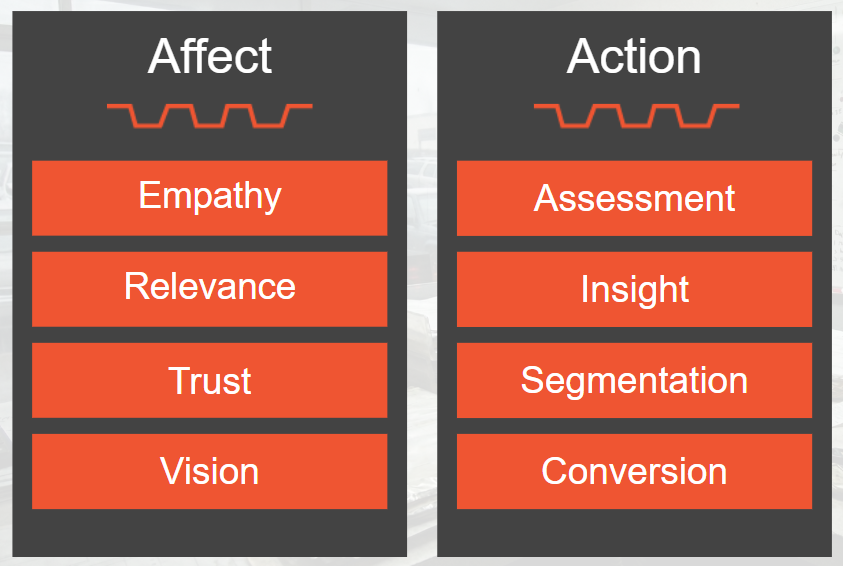
I approached this project through two of my core design pillars:
Affect: I used cinematic AI video to build an emotional mirror for the shop owner. By validating their daily friction and "the cost of inaction," I wanted to build trust and help them envision a better future for their shop before asking for any user input.
Action: I transitioned the viewer from the video into an interactive diagnostic built in Intellum Evolve. This serves as a qualification tool that helps users identify their own needs.
Sales Enablement Methodology Integration

Leads qualification funnel
This video + interactive approach functions as an automated qualification engine, allowing the sales team to focus their energy on high-intent prospects aligned with widely used methodologies.
The Challenger Sale: The video content is designed to "reframe" the user's perspective on their own business, moving them from a mindset of "if it ain't broke" to "it's already breaking."
MEDDICC: The interactive activity acts as a diagnostic for the "Metrics" and "Pain" sections of the MEDDICC framework. By capturing data on a shop's current roles and technology readiness, the tool identifies Sales Qualified Leads (SQLs) who are ready for a demo and Marketing Qualified Leads (MQLs) who need more educational nurturing.
AI-Driven Development
I used a suite of generative AI tools to manage multiple aspects of the project from initial research and strategy to high-fidelity media production.
Strategic Research: I worked with Gemini and Claude to refine the A/V script and ensure the instructional objectives aligned with the business goals, sales enablement methodologies, and best practices in customer education.
Reference Image Generation: To ensure consistent characters and locations within AI-generated video, I used Nano Banana to generate reference images. These included pre-software and post-software versions of each location within the shop.
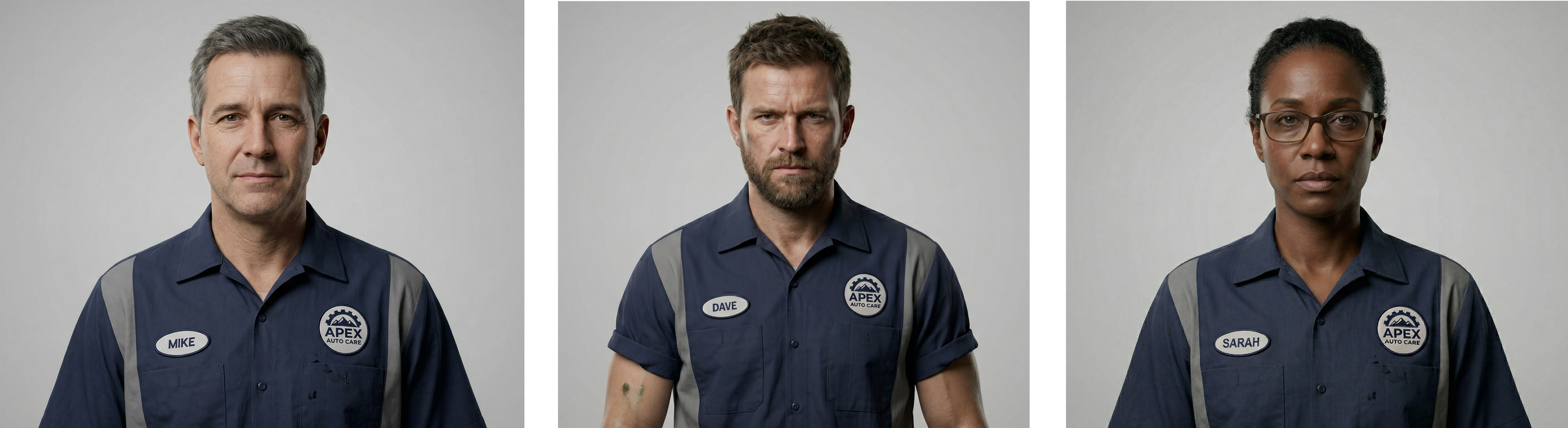
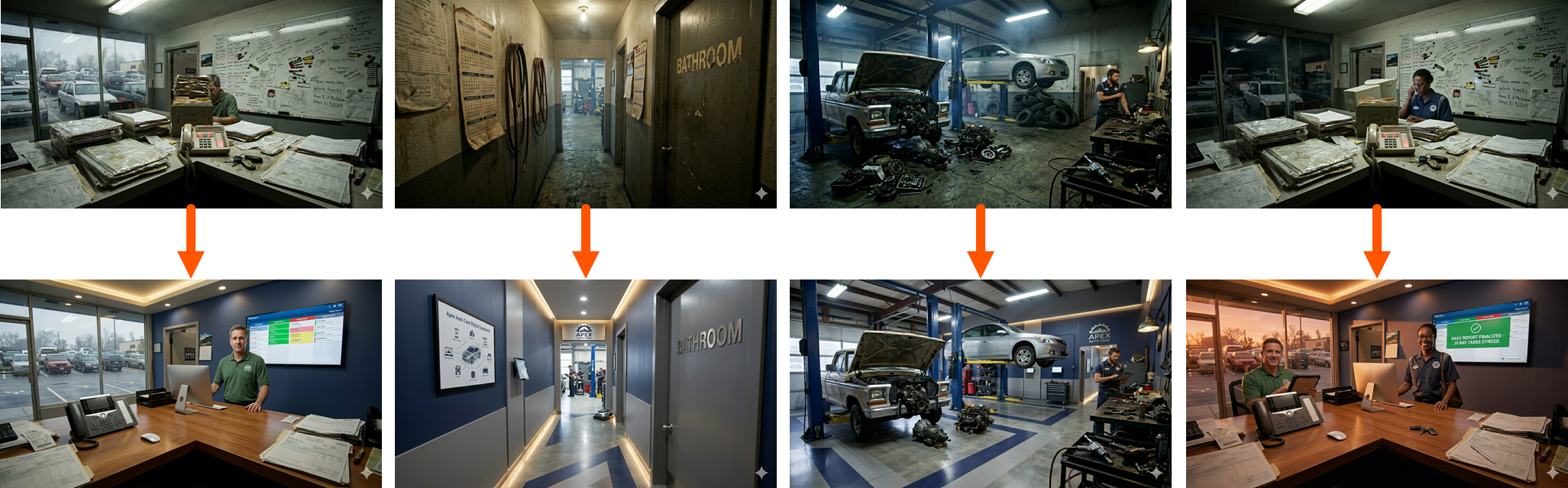
High-fidelity reference images for characters and shop locations (before and after the software transition) to ensure visual consistency across AI-generated cinematic clips.
Cinematic AI-Generated Video Clips: To help the viewer see a mirror of their shop’s pain points and the potential for improvement with the software platform, I used the Google Veo 3.1 - Fast model to generate high-fidelity cinematic clips. This allowed me to achieve production values that would typically require a professional film crew, actors, and on-site locations.
Post Production in Camtasia: After sourcing, customizing, and producing graphics, sound effects, music, and voice over audio, I completed the video’s post production in Camtasia.
Overcoming Limitations of Generative AI
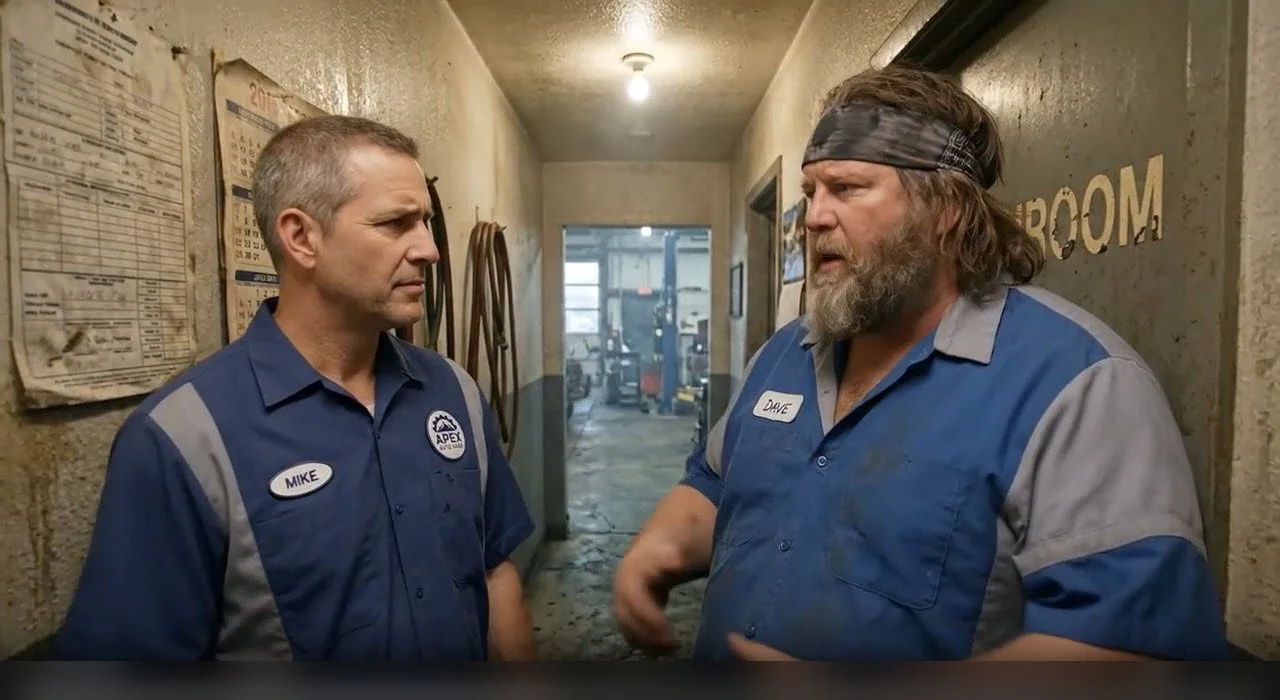
When I first attempted to generate the video clip of Mike, the shop manager, and Dave, the technician, meeting in the hallway, the AI model repeatedly confused the two characters. I determined that the cause was that Dave’s original reference image looked too similar to Mike. After using Nano Banana to generate a new reference image for Dave, the clip rendered correctly.
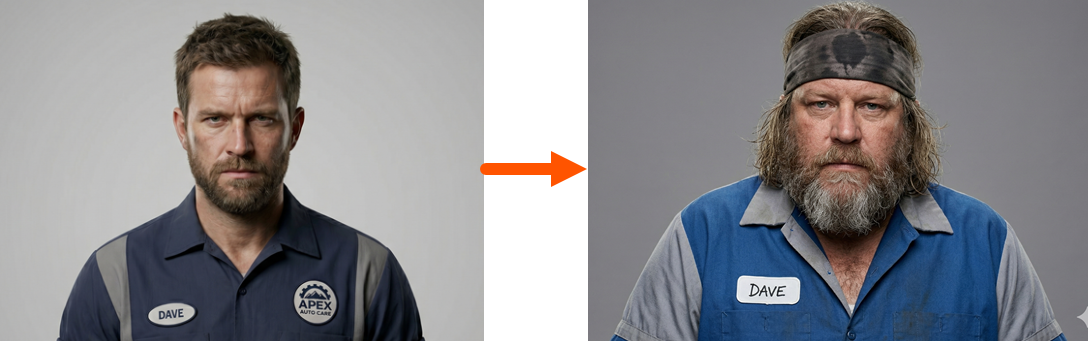
Before and after reference images for Dave, the shop technician.
Bridging the Gap to Customer Education
Customer education doesn't begin at the "onboarding" phase; it begins during the first interaction with the brand. To shift the user from affect-focused attributes of the video to action, I created an interactive experience in Intellum Evolve to serve as a customer education and leads qualification funnel.
Leveraging Intellum’s innovative non-SCORM tracking capabilities, this would allow teams to capture and analyze users’ interaction and inputs for data-based decision making.
Page one featured the embedded video
Pages two and three asked the user to identify their shop roles and pain points.
Pages four through six asked the user to indicate their readiness for the shop management software, which serve as self-qualification questions.
The final page featured a dual call to action (CTA): Schedule a demo or read a case study of a paper-based shop that doubled their monthly revenue after adopting the software.
This low-friction design ensured that by the time a lead reaches a sales representative, we already have a clear roadmap of their specific educational needs for a successful implementation.
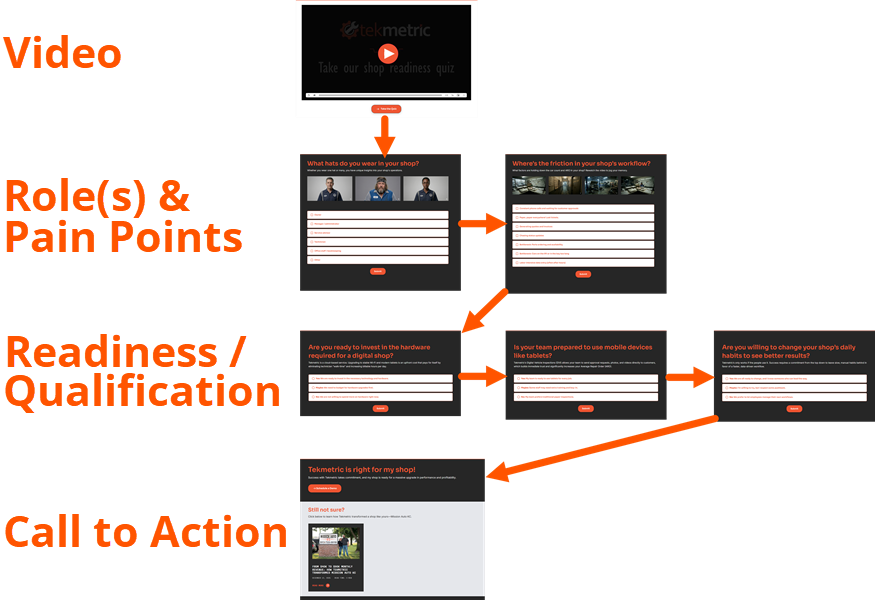
Screenshots of an interactive activity built in Intellum Evolve featuring one page with an embedded video, two pages with images from the video for the user to identify their shop roles and pain points, three pages with readiness and qualification questions, and a final call to action (CTA) page.
Tools I Used
AI model(s) for research, strategy, prompt refinement: Gemini, Claude
AI model(s) for reference images: Nano Banana
AI model(s) for cinematic video clips: Veo 3.1 Fast (in Flow)
Music: Kevin McLeod https://incompetech.com
Sound Effects: https://freesound.org/
Image editing: Adobe Illustrator
Voice Over: Phone voice recorder, Adobe Audition
Post Production: Camtasia
How Can I Help You?
If you're ready to upgrade your team’s AI production capability for sales enablement, customer education, or internal team capability, let's talk.